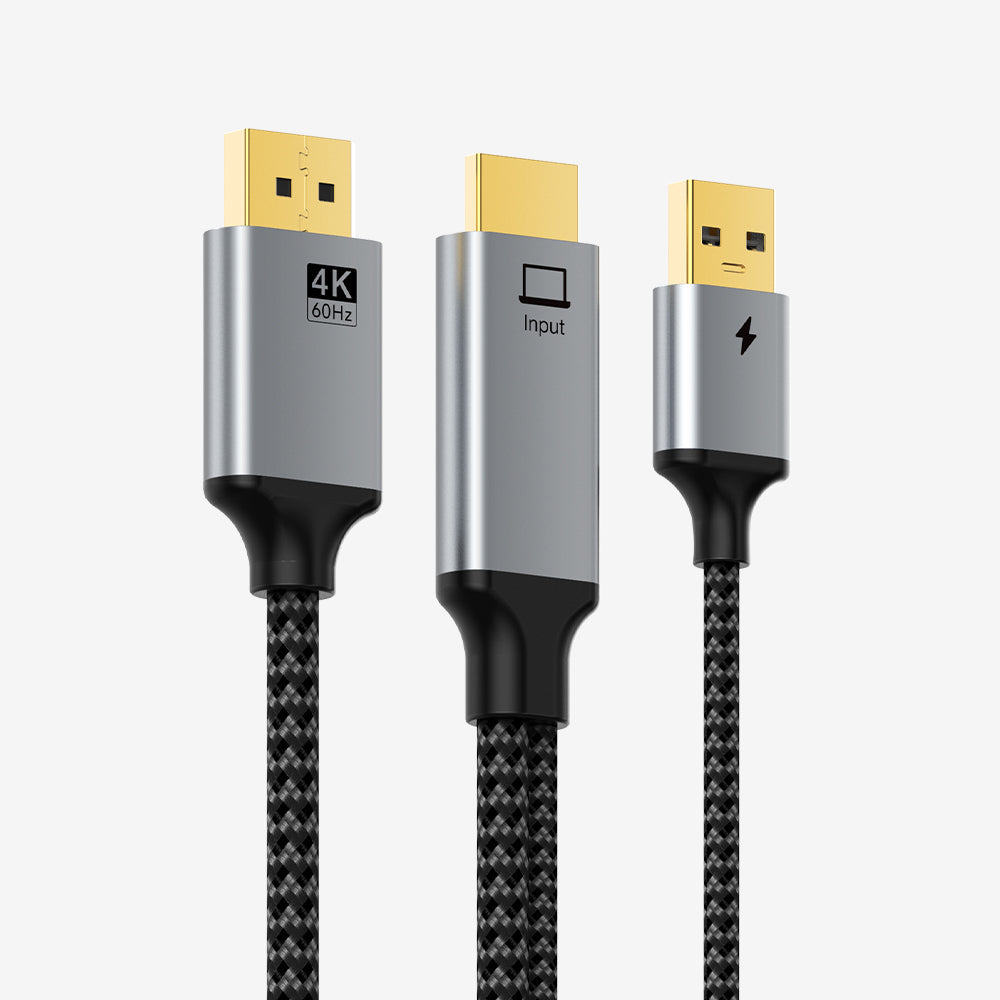
Active HDMI to DisplayPort 4K@60Hz Converter Cable with USB Power, 2m
An active one-way conversion cable for connecting an HDMI-equipped source to a DisplayPort monitor or display at resolutions up to 4K@60Hz, with a separate USB connection supplying conversion power.
Designed for the conversion direction that passive cables cannot provide
This product converts HDMI output to DisplayPort input. It is useful when a PC, laptop, console or other source has HDMI output but the target display needs DisplayPort input. The integrated active conversion electronics are powered through the attached USB power lead.
Key features
- HDMI male source input.
- DisplayPort output connection for the monitor/display.
- USB power lead for the active conversion circuitry.
- Supports up to 4K@60Hz subject to connected equipment.
- 2m main cable length.
Direction matters
This is not a DisplayPort-to-HDMI cable. It is intended specifically for HDMI-source → DisplayPort-display use. If your computer has DisplayPort and your monitor has HDMI, choose a DisplayPort-to-HDMI product instead.
Specifications
| Input | HDMI male, gold-plated |
| Power Input | USB power lead, approx. 0.5m |
| Output | DisplayPort |
| Maximum Resolution | Up to 4K@60Hz |
| Main Cable Length | 2m |
| SKU | CT-HMDM4K-AG2 |
FAQ
Can I reverse the cable? No. Active conversion is directional.
Why does it have USB? The USB lead supplies power to the active HDMI-to-DisplayPort conversion electronics.
Will every setup run at 4K60? The source, cable path and DisplayPort monitor must all support the required resolution and refresh rate.
Authentic CABLETIME product • GST invoice on sale • India-based support • Correct SKU identification
Check the signal path first.
Identify the source and display or capture device, check connector type and conversion direction, then connect and select the correct input. Choose a video mode supported by the complete setup.
Will I always get the maximum listed resolution?
Actual output depends on the source, receiving device, intermediate equipment, selected mode and the length or version you choose. Check any length-specific limits in the product details.
Which length or version should I select?
Use the product selector to choose the required option. Check that option against any model, connector, length or pack-size distinctions in the specifications before ordering.