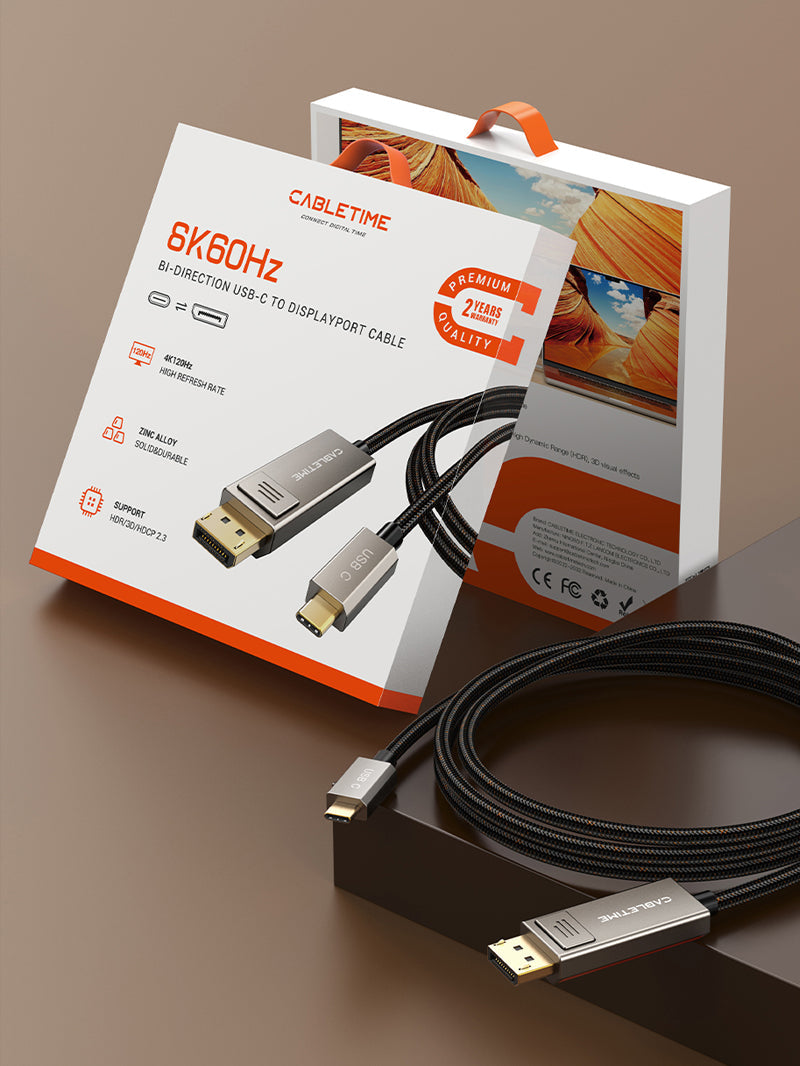
Bidirectional USB-C to DisplayPort 1.4 Cable, 8K@60Hz / 4K@144Hz, 1m–3m
The CABLETIME CC23 Series connects a compatible USB-C video port and a full-size DisplayPort connection in either direction. It supports display resolutions up to 8K@60Hz or 4K@144Hz when the source, display and complete connection support those modes.
Designed for your setup
CABLETIME INDIA • CC23 SERIES • BIDIRECTIONAL USB-C ↔ DISPLAYPORT

One cable for USB-C-to-DisplayPort and DisplayPort-to-USB-C display connections
8K@60HzMaximum listed resolution with compatible equipment.
4K@144HzHigh-refresh display support for compatible systems.
BidirectionalWorks in either of the two supported connection directions.
1m / 2m / 3mThree separately identified model and SKU options.

Two valid directions — check the USB-C port before ordering
USB-C source → DisplayPort display
Connect a laptop, tablet or other source whose USB-C port supports DisplayPort Alt Mode or compatible Thunderbolt video output to a DisplayPort monitor.
DisplayPort source → USB-C display
Connect a DisplayPort-equipped computer or graphics source to a USB-C monitor that explicitly accepts DisplayPort video input through its USB-C port.
Important:USB-C connector shape alone does not guarantee video. The USB-C device or display must support the required video-input or video-output function.

Technical specifications
| Brand | CABLETIME |
|---|---|
| Product family | CC23 Series bidirectional USB-C to DisplayPort cable |
| Connectors | USB-C male and DisplayPort male |
| Direction | Bidirectional, subject to the supported video function of both connected ports |
| Maximum listed display modes | Up to 8K@60Hz or 4K@144Hz with compatible equipment |
| Connector housing | Zinc-alloy housing |
| Cable finish | Black braided jacket |
| 1m option | Model CC23H • SKU CT-CBD8K-ZG1 |
| 2m option | Model CC23L • SKU CT-CBD8K-ZG2 |
| 3m option | Model CC23N • SKU CT-CBD8K-ZG3 |
USE
Connect one compatible USB-C video device to one DisplayPort monitor, or one DisplayPort source to one compatible USB-C monitor. It is a direct display cable, not a docking station, splitter or charging cable.
COMPATIBILITY
Confirm the exact port function in the device manual. For USB-C source use, the source needs DisplayPort Alt Mode or compatible Thunderbolt video output. For reverse use, the USB-C monitor must accept video input through USB-C.
USER SCENARIOS
Suitable for high-resolution workstations, gaming monitors, content-creation systems, presentation displays and compatible USB-C portable monitors.
FAQ
Does it charge a laptop? No charging capability is claimed for this display cable.
Will every USB-C port work? No. The port must support the required video function.
Can it run 8K60 on every setup? No. The source, display, graphics hardware and settings must all support the selected mode.
Genuine CABLETIME product • GST invoice • India-based assistance • Applicable warranty support • Exact model and SKU identification


Available options
| Option | SKU |
|---|---|
| 1m | CC23H |
| 2m | CC23L |
| 3m | CC23N |
Choose your option using the product selector above. Availability is shown for the selected option.
Check the signal path first.
Identify the source and display or capture device, check connector type and conversion direction, then connect and select the correct input. Choose a video mode supported by the complete setup.
Will I always get the maximum listed resolution?
Actual output depends on the source, receiving device, intermediate equipment, selected mode and the length or version you choose. Check any length-specific limits in the product details.
Which length or version should I select?
Use the product selector to choose the required option. Check that option against any model, connector, length or pack-size distinctions in the specifications before ordering.