4K60Hz USB C to HDMI Adapter Cable for Nintendo Switch 2 Mini Dock with PD100W
Replace the bulky Nintendo Switch dock with a compact USB-C to HDMI mini dock cable. Connect Nintendo Switch 2, Switch OLED, Switch, USB-C laptops, tablets and supported smartphones to an HDMI TV, monitor or projector while keeping the device powered through 100W USB-C PD charging.
Play Big. Travel Light.
USB-C device + PD power + HDMI display in one compact cable-style mini dock.
4K60HzHDMI Display Output100WUSB-C PD ChargingCC16LModel Number2-in-1HDMI + Power Dock
Compact Mini Dock for Nintendo Switch, Travel Gaming & USB-C Display Output
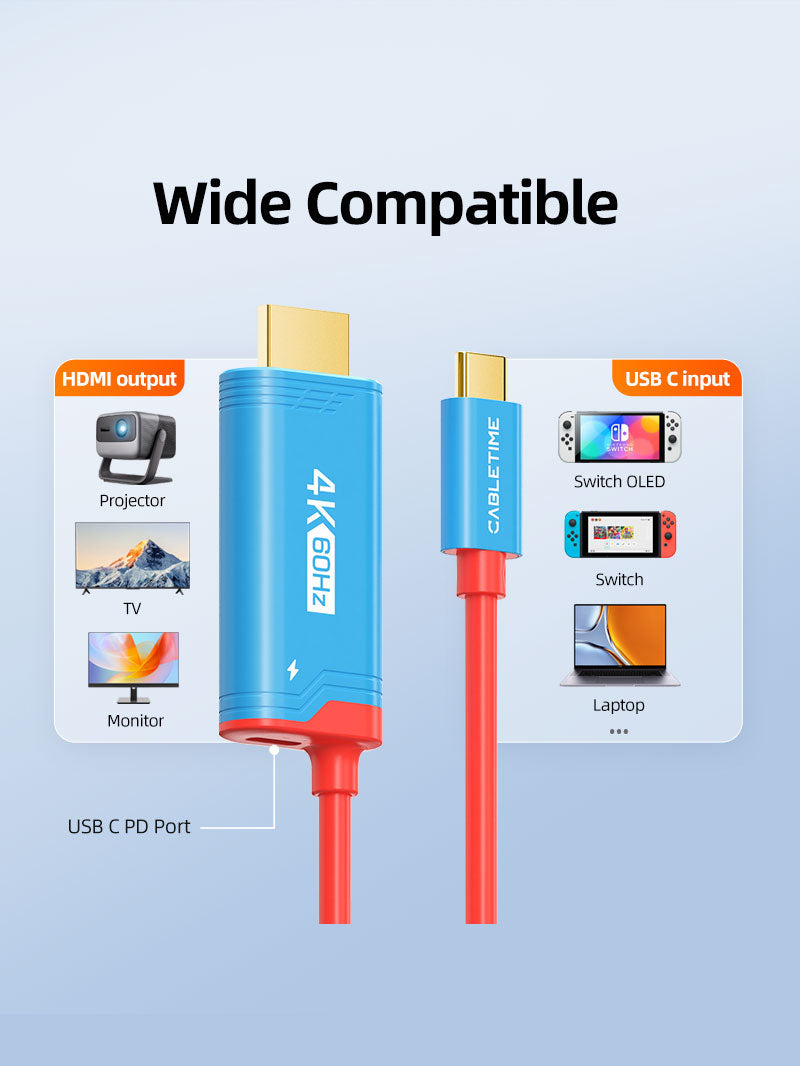
The CABLETIME 4K60Hz USB C to HDMI Adapter Cable Mini Dock with PD100W is designed to replace a bulky docking station with one lightweight, travel-friendly cable. It connects your Nintendo Switch 2, Switch OLED, Switch, USB-C laptop, tablet or supported USB-C smartphone to an HDMI TV, monitor or projector, while the USB-C PD port helps keep the device charged during gaming, streaming, work or presentations.
How It Works
A simple three-step setup for Switch TV mode, laptop display output or USB-C big-screen use.
1. Connect USB-C Device
Plug the USB-C side into Nintendo Switch 2, Switch OLED, Switch, USB-C laptop, tablet or supported phone.
2. Add PD Power
Connect a compatible USB-C PD charger. For Switch TV mode, use the original Nintendo charger or a 39W+ PD charger.
3. Connect HDMI Display
Plug HDMI into your TV, monitor, projector or gaming display and enjoy big-screen output where supported.

Made for Real Gaming, Travel & Display Setups
More than a cable, this is a compact USB-C to HDMI mini dock solution for entertainment, travel, work and display expansion.
Nintendo Switch TV Mode
Use your Switch 2, Switch OLED or Switch on a larger HDMI TV or monitor without carrying the original bulky dock.
Travel Dock Replacement
Compact and lightweight for hotels, friends’ homes, gaming parties, office breaks and portable entertainment setups.
Laptop to HDMI Display
Connect compatible USB-C laptops and MacBooks to HDMI monitors, TVs or projectors for work and streaming.
Phone / Tablet Big Screen
Use compatible USB-C phones and tablets with HDMI displays for videos, presentations, photos and productivity.
Key Features
Built for portable HDMI output, charging convenience and stable display performance.
4K60Hz HDMI Output
Supports 4K60Hz display output for compatible source devices and HDMI TVs, monitors or projectors.
100W PD Charging
Supports up to 100W USB-C Power Delivery, helping keep your connected device powered while using HDMI output.
Dynamic HDR Support
Dynamic HDR helps improve contrast, color and visual depth where the source device, display and content support it.
High-Performance Chipset
Built with a high-performance chipset for stable display conversion and reliable big-screen output.
Three-Layer Shielding
Pure copper core and three-layer shielding help reduce interference and support stable signal transmission.
Portable Mini Dock
Cable-style dock design makes it easier to carry compared to the original Switch docking station.

One Cable for HDMI Display + Charging
Designed for smooth gaming, streaming and big-screen use while keeping your USB-C device powered through PD charging.
Switch Big-Screen Mode
Play compatible Switch consoles on HDMI TVs and monitors with PD power connected.
Powered Display Use
100W PD charging helps keep the device powered while gaming, streaming, presenting or working.
4K60Hz Visuals
Enjoy 4K60Hz output where the source device, cable variant, HDMI display and settings support it.
Compatible Device Setups
Designed for Nintendo Switch use and compatible USB-C devices that support video output / DisplayPort Alt Mode.
Switch 2Switch OLEDSwitchMacBookUSB-C LaptopTabletUSB-C PhoneHDMI TV
Available Variant Options
Please select the correct resolution and color option before checkout.
Standard Variant
Primary listed specification for model CC16L and SKU CT-CMHD4P-PB2.
4K144HzHigh-Refresh Variant
Shown as a selectable variant on the product page. Actual support depends on the selected variant and full setup.
Color Options
Blue & Red, White & Black, and Black & Blue options are shown on the product page.
What This Product Does
- Works as a compact USB-C to HDMI mini dock cable.
- Helps connect Nintendo Switch / Switch 2 to HDMI TVs and monitors.
- Supports 4K60Hz HDMI display output on compatible setups.
- Supports up to 100W USB-C PD charging.
- Can be used with compatible laptops, tablets and USB-C phones that support video output.
- Supports Dynamic HDR where the device, display and content support it.

Please Check Before Buying
- For Switch TV mode, the USB-C PD port must be powered.
- Use the original Nintendo charger or a 39W+ USB-C PD charger for stable Switch use.
- Non-Switch USB-C devices must support USB-C video output / DP Alt Mode.
- This product cannot add HDMI output to devices that do not support display output.
- Maximum resolution depends on source device, selected variant, HDMI display and settings.
- This is not a USB data hub unless specifically mentioned in product specifications.
Specification Sheet
Complete technical details for model, ports, display support, charging, material and SKU.
| Specification | Details |
|---|---|
| Brand | CABLETIME |
| Product Name | 4K60Hz USB C to HDMI Adapter Cable for Nintendo Switch 2 Mini Dock with PD100W |
| Model | CC16L |
| Input | USB-C Male |
| Output | HDMI Male |
| Display Resolution | 4K60Hz for listed CC16L specification |
| Page Variant Note | Product page also shows 4K144Hz selectable variants. Actual support depends on selected variant and setup. |
| PD Charging | 100W USB-C Power Delivery Charging Support |
| HDR Support | Dynamic HDR support with compatible source, display and content |
| Signal Design | High-performance chipset, pure copper core and three-layer shielding mentioned on global listing |
| Color Options | Blue and Red, White and Black, Black and Blue |
| Material | ABS Shell + PVC Jacket |
| Primary Use | Mini dock / USB-C to HDMI display cable with PD charging for Nintendo Switch and compatible USB-C devices |
| SKU | CT-CMHD4P-PB2 |
Frequently Asked Questions
Clear answers help customers choose the correct product and avoid compatibility issues.
What is this product used for?
It is used as a compact USB-C to HDMI mini dock cable with PD charging support for Nintendo Switch / Switch 2 and compatible USB-C devices.
Can it replace the original Nintendo Switch dock?
Yes, it is positioned as a lightweight mini dock replacement for big-screen Switch use. For stable TV mode, the USB-C PD power input must be connected.
Does it support charging while playing?
Yes, it supports up to 100W PD charging. For Switch TV mode, use the original Nintendo charger or a 39W+ USB-C PD charger for stable performance.
What resolution does it support?
The listed CC16L specification supports 4K60Hz. The product page also shows 4K144Hz selectable variants, so customers should choose the correct variant before purchase.
Does it work with laptops and phones?
Yes, it can work with compatible USB-C laptops, tablets and phones that support USB-C video output / DisplayPort Alt Mode.
Can it add HDMI output to all USB-C devices?
No. The connected USB-C device must support video output. Devices without USB-C display output will not show HDMI video through this cable.
Is it only for Nintendo Switch?
No. It is designed for Switch use, but it can also work with compatible USB-C laptops, tablets and phones that support display output.
Does it support Dynamic HDR?
Yes, Dynamic HDR is supported where the connected source device, display and content support HDR output.
Does this work as a USB data hub?
No, it should be treated as a USB-C to HDMI mini dock cable with PD charging support, not as a USB data hub unless a product variant specifically lists hub functions.
Buy from CABLETIME Official Store India
Choose genuine Cabletime products in India with secure checkout, official availability and local customer support.
Official India StoreGenuine ProductCustomer SupportAvailable options
| Option | SKU |
|---|---|
| 4K 60Hz / Blue and Red | CC16L |
| 4K 60Hz / White and Black | CC17L |
Choose your option using the product selector above. Availability is shown for the selected option.
Connect in a clear sequence.
Check host compatibility, connect any required power supply, attach the host cable and then add peripherals. Configure display, network and audio settings where those functions are provided.
Will every USB-C port support all functions?
No. Port shape alone does not establish video output, charging or data capabilities. Match the host requirements and supported operating-system features listed for this product.
Which length or version should I select?
Use the product selector to choose the required option. Check that option against any model, connector, length or pack-size distinctions in the specifications before ordering.