Premium Toslink Digital Optical Audio Cable, 1m / 2m / 3m / 5m
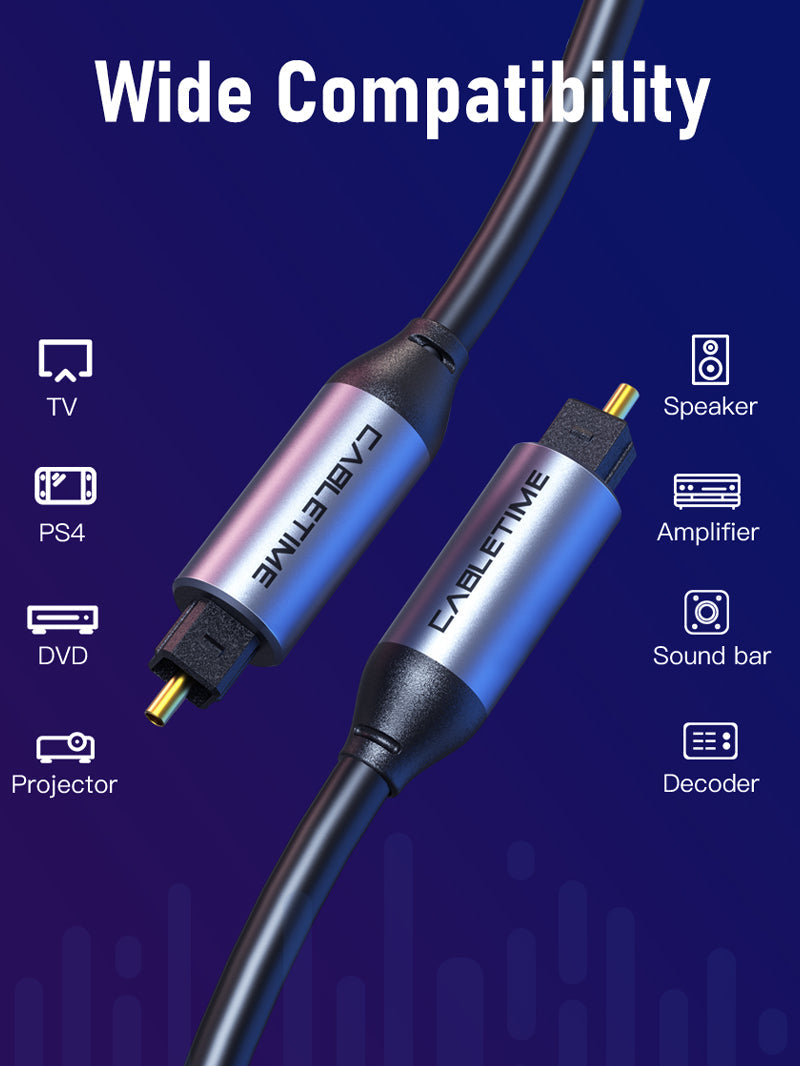
The CABLETIME premium Toslink cable carries digital optical audio between compatible S/PDIF optical ports. Its flexible PVC jacket, protected optical fibre and durable connector shells make it suitable for televisions, soundbars, AV receivers, amplifiers, game consoles and home-theatre equipment.
Send clean digital audio from your TV, console or player to a soundbar or amplifier
Digital OpticalTransfers compatible S/PDIF audio using light instead of an electrical signal.
Electrical IsolationOptical transmission avoids electrical ground-loop connections between devices.
Protected FibreFlexible jacket and reinforced connectors support everyday installation.
1m–5m OptionsChoose the shortest practical length for a tidy AV setup.
A direct optical link for television and home-theatre audio
Connect the optical output of a television, console, disc player or compatible media device to the optical input of a soundbar, AV receiver, DAC or amplifier. One cable carries the supported digital audio stream.

Light-based transmission resists electrical interference
Because the audio signal travels as light through the fibre, the connection is not affected by electromagnetic interference in the same way as an analogue electrical audio cable. Optical isolation also prevents the cable from creating an electrical ground path between devices.

Compatible with common optical audio formats
The cable carries the digital stream provided by the connected equipment, including compatible PCM stereo and supported compressed surround formats. Available formats depend on the source, television settings and receiving audio system.

Durable connectors and flexible cable routing
The metal connector shells protect the optical terminations, while the flexible PVC jacket allows practical routing behind televisions, media cabinets and soundbars. Avoid tight bends, crushing and sharp pulls that could damage the optical fibre.


Choose the length that keeps your installation tidy
Select 1m for nearby devices, 2m or 3m for typical TV cabinets, or 5m where equipment is positioned farther apart. Use the shortest length that reaches comfortably without tension.

Important: optical audio only
This cable connects standard square Toslink optical ports. It does not carry video, HDMI ARC/eARC, analogue audio or power, and it does not convert between optical and analogue signals. Remove any protective connector caps before installation.

Technical specifications
| Connector 1 | Standard Toslink optical male |
|---|---|
| Connector 2 | Standard Toslink optical male |
| Signal type | Digital optical S/PDIF audio |
| Construction | Optical fibre, flexible PVC jacket and metal connector shells |
| Lengths | 1m, 2m, 3m and 5m |
| SKUs | CT-AV380-P04GN-S1 / S2 / S3 / S5 |
USE — step-by-step connection
- Remove protective caps from both Toslink connectors.
- Identify the optical output on the source and optical input on the audio system.
- Align each keyed plug and insert it gently until secure.
- Select Optical / S/PDIF output in the source audio settings.
- Select the optical input on the soundbar, receiver or amplifier.
COMPATIBILITY — what it works with
For devices with standard square Toslink optical ports, including compatible TVs, soundbars, AV receivers, amplifiers, game consoles, disc players and DACs. It is not compatible with 3.5mm mini-Toslink sockets without the correct adapter.
USER SCENARIOS — practical applications
- TV to soundbar: send television audio through an optical output.
- TV to AV receiver: connect a display to a home-theatre audio system.
- Console or player: route compatible optical audio to an amplifier or DAC.
- Electrical isolation: avoid a direct electrical ground connection between devices.
FAQ — frequently asked questions
Does it carry video?
No. Toslink carries digital audio only.
Does it support surround sound?
It carries compatible optical audio formats supported by both connected devices.
Is it the same as HDMI ARC?
No. Optical S/PDIF and HDMI ARC/eARC are different interfaces.
Why is there no sound?
Check that Optical/S/PDIF output is selected and that the chosen audio format is supported by the receiving device.
Can the cable be bent sharply?
Avoid tight bends or crushing because the optical fibre can be damaged.
Genuine CABLETIME product supplied with GST invoice, secure India fulfilment, customer support and the applicable product warranty.
Available options
| Option | SKU |
|---|---|
| 1m | CF30H |
| 2m | CF30L |
| 3m | CF30N |
| 5m | CF30P |
Choose your option using the product selector above. Availability is shown for the selected option.
Match the audio connections.
Check connector size, contact arrangement and signal direction. Reduce volume before connecting, select the appropriate input or output and raise the listening level gradually.
Will matching plugs guarantee compatibility?
Check the required audio signal, microphone support and input/output role. Physically similar connectors can carry different signals; use the product-specific guidance above.
Which length or version should I select?
Use the product selector to choose the required option. Check that option against any model, connector, length or pack-size distinctions in the specifications before ordering.