Full-Function USB-C Active Optical Cable, 10Gbps, 8K Video & PD, 5m–15m
Our full-function USB-C active optical cable combines optical data transmission with copper power conductors to extend compatible USB-C workstations, docks, displays and peripherals far beyond ordinary short copper-cable lengths.
Carry high-speed USB data, video and charging across 5 to 15 metres
10GbpsUSB 3.2 Gen 2 dataUp to 8KDP Alt Mode video with compatible systemsUSB-C PDPower and charging support5m / 10m / 15mLong installation optionsOne long USB-C route for conference rooms, control rooms and advanced workstations
Use this directional AOC between a compatible full-function USB-C source and a dock, display or USB-C device. It supports high-speed data, DisplayPort Alternate Mode video and USB-C Power Delivery when the source and destination provide those functions.
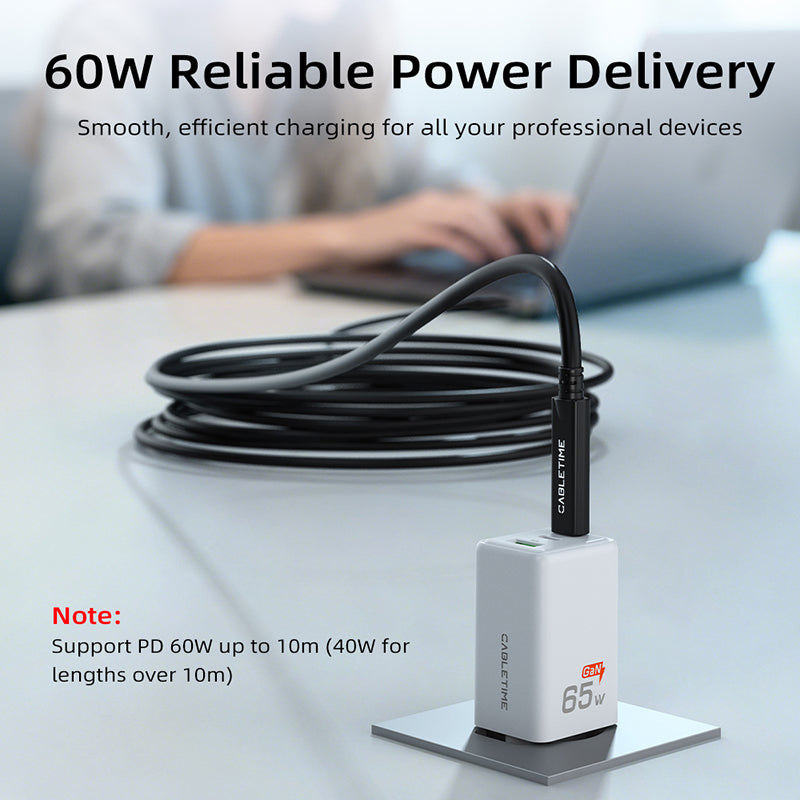
Charging capability by length: the 5m and 10m versions support up to 60W Power Delivery; the 15m version supports up to 40W. The charger, host and device determine the final negotiated power.
Direction matters: connect the source-marked end to the host and the device-marked end to the display, dock or peripheral. Reversing an active optical cable can prevent operation.
Technical specifications
| Connectors | USB-C male to USB-C male, directional active optical design |
|---|---|
| USB data | USB 3.2 Gen 2 up to 10Gbps; backward compatible with lower USB data modes |
| Video | DisplayPort Alternate Mode, including up to 8K or 4K@60Hz with compatible equipment |
| Power Delivery | Up to 60W at 5m/10m; up to 40W at 15m |
| Lengths / SKUs | 5m CT-ACMU4-ZB5; 10m CT-ACMU4-ZB10; 15m CT-ACMU4-ZB15 |
USE — correct directional setup
- Identify the source/host end and device/display end.
- Connect the source end to the computer or USB-C host.
- Connect the device end to the compatible dock, display or peripheral.
- Connect the required charger or power source and select display settings where applicable.
COMPATIBILITY
USB-C connector shape alone does not guarantee data speed, video or charging. The host and destination must support each required function, including DP Alt Mode for video and USB Power Delivery for charging.
USER SCENARIOS
- Conference-room laptop to USB-C display or dock
- Control room and equipment-rack connection
- Long workstation-to-monitor route
- Camera, storage and USB-C peripheral installation
FAQ
Can it be connected either way?
No. Follow the source and device markings.
Will every USB-C laptop output video?
No. The port must support DisplayPort Alternate Mode.
Can the 15m cable charge at 60W?
The 15m version supports up to 40W; choose 5m or 10m for up to 60W.
Does it need an external signal booster?
No separate signal booster is required; active optical conversion is built into the cable.
genuine product, GST invoice, India support and applicable warranty.

Available options
| Option | SKU |
|---|---|
| 5m | CUA4P |
| 10m | CUA4S |
| 15m | CUA4T |
Choose your option using the product selector above. Availability is shown for the selected option.
Match the ports. Choose the right version.
Check connector types, cable length and the supported functions before connecting. Insert plugs without forcing them and leave enough slack around device ports.
Will it support every function of my device?
Only the functions listed for this product should be expected. Charging, data and display capability depend on the accessory and both connected devices; check the product details for your intended use.
Which length or version should I select?
Use the product selector to choose the required option. Check that option against any model, connector, length or pack-size distinctions in the specifications before ordering.