CABLETIME DisplayPort 2.1 Cable 80Gbps, 16K@60Hz, 8K@120Hz, 4K@240Hz | CT-DP16K-AG
From Rs. 1,347.00


Regular price
Rs. 1,347.00
Sale price
Rs. 1,347.00
Regular price
Rs. 1,549.00
Unit price
per
Tax included.
Shipping calculated at checkout.
Couldn't load pickup availability
Want next day delivery? Be quick!
Low stock! Only 10 left
CABLETIME DisplayPort 2.1 • UHBR20
80Gbps bandwidth for ultra-high-resolution gaming, creation and multi-display work
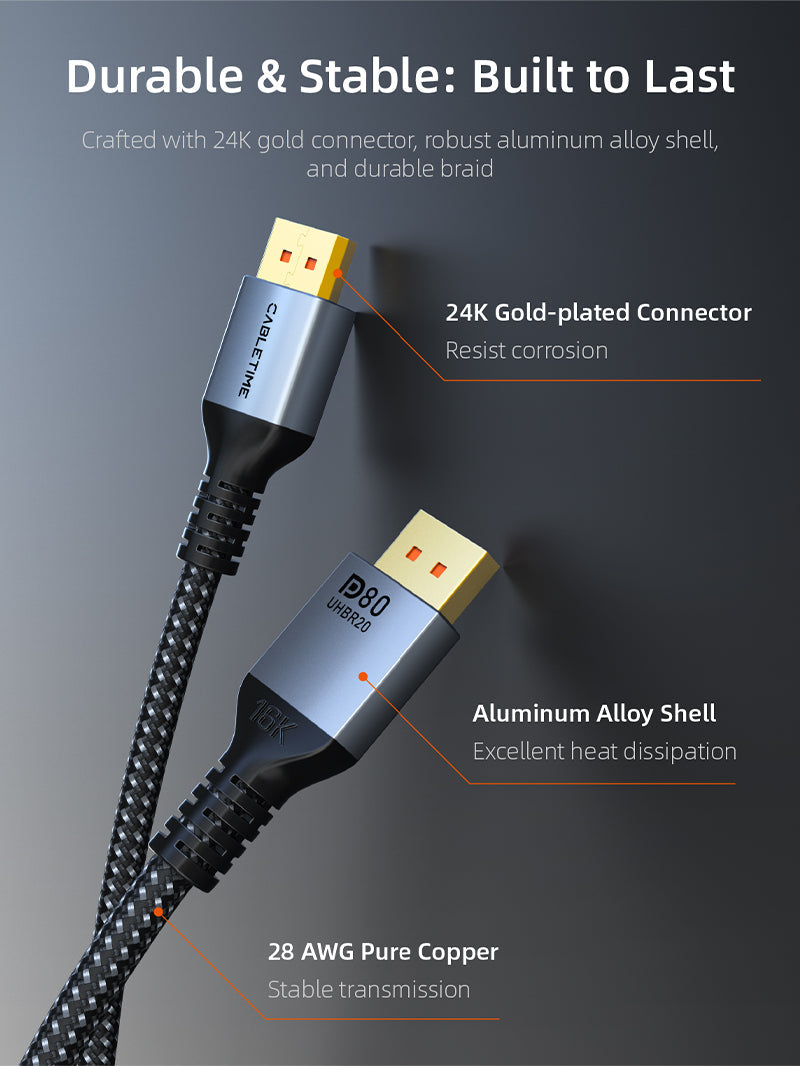
Connect a DisplayPort-equipped desktop, workstation or gaming PC directly to a DisplayPort monitor with support for up to 16K@60Hz, 8K@120Hz and 4K@240Hz. The braided cable combines an aluminum shell, gold-plated connectors and high-bandwidth UHBR20 performance for demanding modern displays.

80GbpsUHBR20 bandwidth for high-resolution, high-refresh video
16K@60HzMaximum supported resolution with compatible source and display
4K@240HzFluid motion for competitive gaming and fast visual workloads
DP Male–MaleDirect connection without an adapter or converter


Made for demanding visual performance
Dynamic HDR helps compatible content preserve brighter highlights and deeper shadow detail, while DSC support enables very high resolutions and refresh rates within the available link bandwidth. HDCP 2.2 support helps with protected video playback on compatible equipment.
The cable is backward compatible with earlier DisplayPort generations, so it can also be used for conventional 4K, QHD and Full HD monitors. The final resolution and refresh rate are always determined by the lowest-capability device in the connection chain.


Technical specifications
| Interface | DisplayPort male to DisplayPort male, gold-plated |
|---|---|
| DisplayPort standard | DisplayPort 2.1, UHBR20 |
| Maximum bandwidth | 80Gbps |
| Supported video | Up to 16K@60Hz, 10K@60Hz, 8K@120Hz, 4K@240Hz and 1080p@240Hz with compatible hardware |
| Video features | Dynamic HDR, DSC 1.2a, HDCP 2.2, mirror and extended display modes |
| Construction | Anti-corrosion aluminum shell, black braided jacket, tinned-copper conductors |
| Lengths / models | 1m CD13H / CT-DP16K-AG1; 2m CD13L / CT-DP16K-AG2; 3m CD13N / CT-DP16K-AG3 |
| Certification note | The official manufacturer page identifies the 1m and 2m versions as VESA-certified; the 3m version is not included in that certification statement. |
USE — how to connect it
- Switch off or sleep the source and display before changing cables.
- Connect one DisplayPort plug to the graphics card, desktop, workstation or laptop dock.
- Connect the other plug to the DisplayPort input of the monitor, TV or projector.
- Select the correct DisplayPort input and then choose the desired resolution and refresh rate in the operating system or graphics control panel.
COMPATIBILITY — what must be checked
Suitable for devices with full-size DisplayPort outputs and displays with full-size DisplayPort inputs, including gaming PCs, professional workstations, desktop graphics cards, monitors, projectors and selected docks.
Important: 16K, 8K or 4K at very high refresh rates require compatible source GPU, display, operating-system settings and content. This is a passive DisplayPort-to-DisplayPort cable; it does not convert HDMI or USB-C.
USER SCENARIOS — where it adds value
- Competitive gaming: high-refresh 4K or QHD monitor connections.
- Creative work: detailed editing, colour work, CAD and large-format timelines.
- Trading and productivity: extended-display workflows and compatible MST setups.
- Home entertainment: high-resolution PC-to-display audio/video connection.
FAQ — frequently asked questions
Will it work with a DisplayPort 1.4 monitor?
Yes. It is backward compatible, but the connection will operate within the limits of the monitor and source.
Can it deliver 4K at 240Hz?
Yes, when both the graphics source and monitor support the required DisplayPort mode, DSC/settings and refresh rate.
Does it carry audio?
DisplayPort can carry digital audio together with video when both connected devices support audio over DisplayPort.
Can I use it with HDMI?
No direct conversion is provided. Use a purpose-built active adapter when converting between DisplayPort and HDMI.
Which length should I choose?
Select the shortest length that comfortably reaches your equipment. The available options are 1m, 2m and 3m.
Dimensions
Dimensions