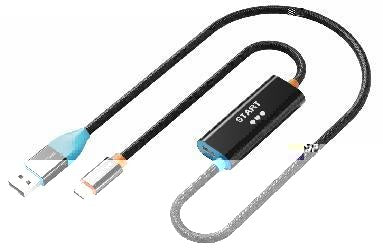
HDMI Video Capture Adapter with USB-A & USB-C, 1080p@30Hz
Our compact capture adapter accepts an HDMI input and delivers UVC/UAC-compatible video and audio to laptops and desktops for recording, streaming, conferencing and content creation.
Bring an HDMI camera or source into your computer through USB-A or USB-C
HDMI InputUp to 3840×2160 at 60Hz input1080p CaptureUp to 1920×1080 at 30HzUSB-A + USB-CFlexible host connectionUVC / UACWorks with standard capture softwareA simple capture route for cameras, consoles and HDMI media sources
Connect the HDMI output of a compatible camera, game console, set-top box or presentation source, then connect the USB side to the computer. Select the capture device in OBS Studio, VLC, Amcap, conferencing software or another UVC-compatible application.
Content protection: HDCP-protected video cannot normally be captured. The adapter records the incoming feed; it does not bypass copy protection or increase the source resolution.
Technical specifications
| Input | HDMI female; input up to 3840×2160 at 60Hz |
|---|---|
| Computer connection | USB-A and USB-C |
| Capture output | Up to 1920×1080 at 30Hz; 8/10/12-bit support |
| Standards and software | UVC/UAC; compatible with OBS, VLC, Amcap and other supported applications |
| Housing / SKU | Aluminium housing / CT-ACHC-AG |
USE — quick setup
- Connect the HDMI source to the capture adapter.
- Connect USB-A or USB-C to the computer.
- Open the capture or conferencing application.
- Select the USB video device and set the required resolution and frame rate.
COMPATIBILITY
For computers supporting standard USB video devices and HDMI sources that provide an unprotected output. Software capability and available USB bandwidth affect final recording performance.
USER SCENARIOS
- Camera capture for streaming and webinars
- Console gameplay recording
- Training-room and presentation recording
- Remote teaching and video conferencing
FAQ
Can it capture 4K?
It can accept a compatible 4K input, while capture output is up to 1080p@30Hz.
Does it need a driver?
Most supported systems recognise it as a UVC/UAC device.
Will protected streaming content record?
HDCP-protected content is not supported for capture.
genuine product, GST invoice, India support and applicable warranty.
Check the signal path first.
Identify the source and display or capture device, check connector type and conversion direction, then connect and select the correct input. Choose a video mode supported by the complete setup.
Will I always get the maximum listed resolution?
Actual output depends on the source, receiving device, intermediate equipment, selected mode and the length or version you choose. Check any length-specific limits in the product details.
Which length or version should I select?
Use the product selector to choose the required option. Check that option against any model, connector, length or pack-size distinctions in the specifications before ordering.