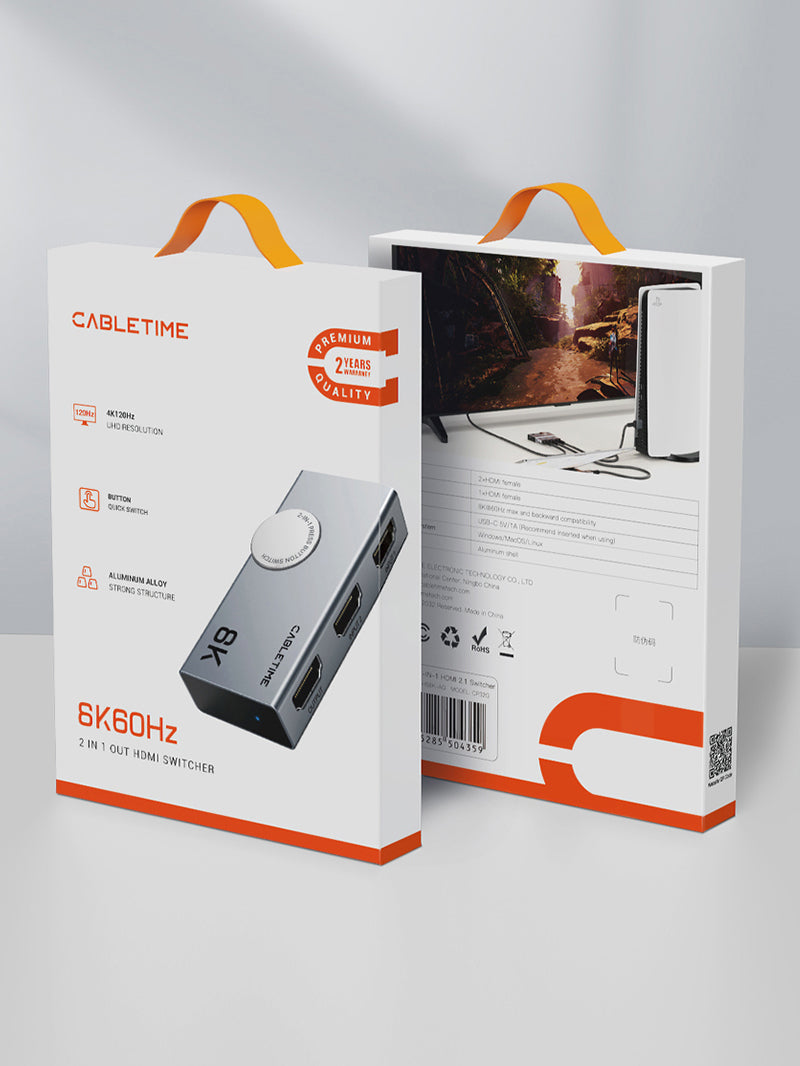
HDMI 2.1 Bi-Directional Switch, 8K@60Hz / 4K@120Hz, 2 In 1 Out
The CABLETIME CP34G is a manual bi-directional HDMI 2.1 switch for premium gaming, streaming and home-theatre systems. Route two HDMI sources to one display, or connect one source to two selectable displays, with one display active at a time.
Switch next-generation gaming and 8K sources without repeatedly changing cables
8K@60HzUltra-high-resolution HDMI output for compatible premium displays.
4K@120HzSmooth high-refresh performance for compatible consoles and gaming PCs.
VRR + HDRSupports advanced HDMI 2.1 features when the complete chain is compatible.
Bi-DirectionalUse 2 in / 1 out or 1 in / 2 selectable outputs.
Two HDMI sources to one display—or one source to either display
Use one television or gaming monitor with two sources such as a PS5 and Xbox, or reverse the connection to choose between a monitor and television from one HDMI source. Selection is made with the physical button.

Real 8K@60Hz capability for compatible HDMI 2.1 systems
Connect an HDMI 2.1 source, Ultra High Speed HDMI cables and an 8K display to access resolutions up to 8K@60Hz. The switch remains backward compatible with common 4K and Full HD HDMI equipment.

4K@120Hz for responsive console and PC gaming
Use compatible PS5, Xbox Series X/S or gaming-PC hardware with a 4K120 display for smoother motion and reduced input-lag perception. The source, game, graphics settings, cables and display input must all support 4K@120Hz.


Manual button control with clear status indication
Press the selector to change the active source or display. Manual control prevents unexpected automatic switching and makes the chosen HDMI path easy to understand in shared AV systems.

Choose one of two displays from a single source
Reverse the connection to move one console, PC or media player between two screens. This is ideal when you alternate between a desk monitor and television, but it does not operate both screens simultaneously.

Advanced HDMI features depend on the complete signal chain
VRR, Dynamic HDR, Dolby Vision, HDCP 2.3 and high-refresh modes are available only when every connected component supports them. Use certified Ultra High Speed HDMI cables and select the correct enhanced HDMI mode on the television or monitor.


Compact metal-bodied design for entertainment and gaming setups
The aluminium and ABS enclosure fits neatly into a TV cabinet, gaming desk, AV rack or travel kit while providing a durable housing for the HDMI 2.1 switching electronics.

Important: not a simultaneous HDMI splitter
In 1-input / 2-output mode, only one display is active. For 8K@60Hz or 4K@120Hz, use HDMI 2.1-compatible source hardware, Ultra High Speed HDMI cables and a receiving display that supports the target mode. Shorter cable runs provide the greatest performance margin.
Technical specifications
| Product type | Manual bi-directional HDMI 2.1 switch |
|---|---|
| Operating modes | 2 HDMI sources to 1 display, or 1 source to 2 selectable displays |
| Maximum video | Up to 8K@60Hz, 4K@120Hz and 1080p@240Hz with compatible equipment |
| Supported features | VRR, Dynamic HDR, Dolby Vision, 3D and HDCP 2.3 when supported by the complete system |
| Switching control | Manual push button with status indication |
| Construction | Aluminium and ABS housing |
| Model / SKU | CP34G / CT-HS8K2-AG |
USE — step-by-step setup
- Choose 2-in / 1-out or 1-in / 2-out operation.
- Connect compatible HDMI 2.1 cables between the sources, switch and display.
- Select the required HDMI input and enable enhanced HDMI mode where applicable.
- Press the selector to choose the active source or display.
- Configure the desired resolution, refresh rate, HDR and VRR settings.
COMPATIBILITY — what it works with
Suitable for compatible HDMI devices including PS5, Xbox Series X/S, gaming PCs, laptops, Apple TV, Roku, Fire TV, Blu-ray players, televisions, monitors, projectors and AV receivers. Features and performance are limited by the lowest-capability component in the chain.
USER SCENARIOS — practical applications
- Next-generation gaming: switch PS5 and Xbox on one 4K120 television.
- Gaming PC setup: share one HDMI 2.1 display between a PC and console.
- Home theatre: select a media player or console without changing cables.
- Dual-display selection: move one source between a desk monitor and television.
FAQ — frequently asked questions
Can it show one source on two screens simultaneously?
No. Only one display is active in 1-in / 2-out mode.
Does it support 4K@120Hz gaming?
Yes, when every part of the HDMI chain supports 4K@120Hz.
Can it deliver 8K@60Hz?
Yes, with an 8K-capable source, certified cables and an 8K60 display.
Does it support VRR and HDR?
Yes, subject to compatible source, content, cable and display.
Is switching automatic?
No. The physical button provides direct manual control.
Genuine CABLETIME product supplied with GST invoice, secure India fulfilment, customer support and the applicable product warranty.
Check the signal path first.
Identify the source and display or capture device, check connector type and conversion direction, then connect and select the correct input. Choose a video mode supported by the complete setup.
Will I always get the maximum listed resolution?
Actual output depends on the source, receiving device, intermediate equipment, selected mode and the length or version you choose. Check any length-specific limits in the product details.
Which length or version should I select?
Use the product selector to choose the required option. Check that option against any model, connector, length or pack-size distinctions in the specifications before ordering.