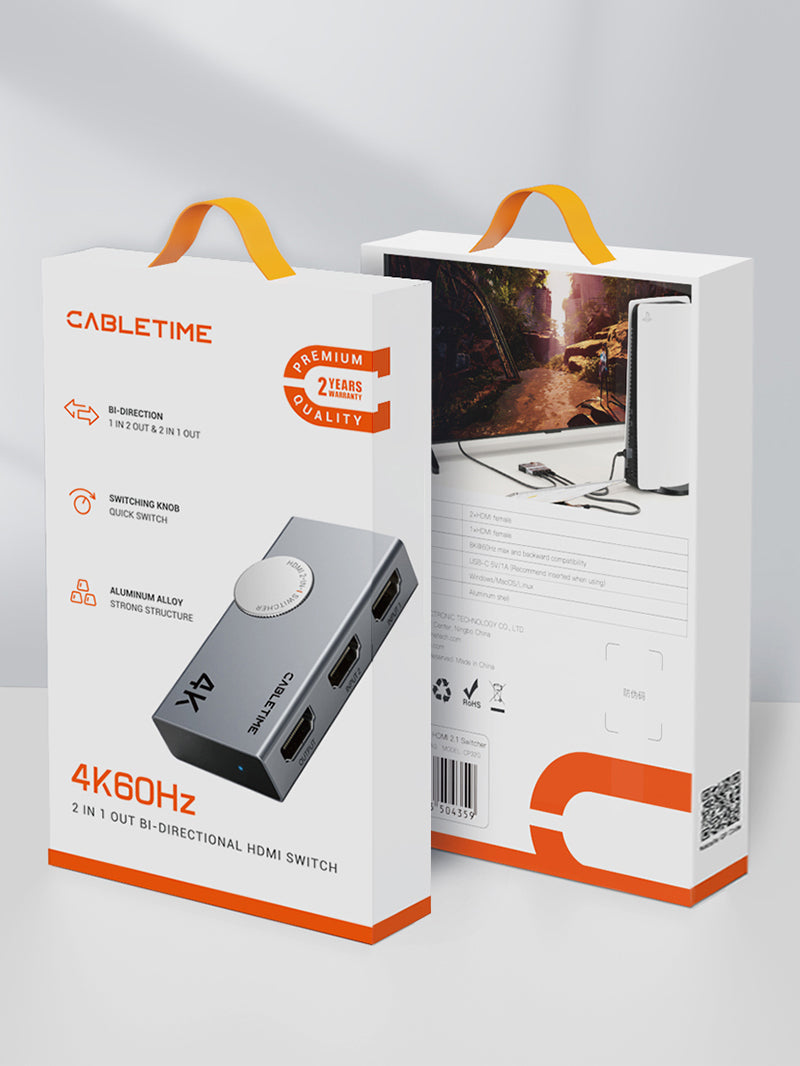
4K@60Hz HDMI 2.0 Bi-Directional Switch, 2 In 1 Out / 1 In 2 Out
The CABLETIME CP37G is a compact manual HDMI 2.0 switch for gaming desks, TV cabinets, meeting rooms and shared workstations. Use it as a 2-input / 1-output switch, or reverse the connection to route one HDMI source to either of two displays, with one display active at a time.
Switch two HDMI sources on one screen—or select one of two displays
4K@60HzClear HDMI 2.0 video with compatible source, cables and display.
Bi-DirectionalChoose 2 in / 1 out or 1 in / 2 selectable outputs.
Manual ControlRotate the selector for direct, predictable switching.
No Power AdapterPlug-and-play operation without a separate power supply.
Two useful connection modes
In 2-in / 1-out mode, connect two HDMI sources—such as a laptop and game console—to one monitor, TV or projector. In 1-in / 2-out mode, connect one source and manually select which of two displays receives the signal.

4K@60Hz picture quality for modern HDMI setups
Enjoy up to 3840 × 2160 at 60Hz when the source device, switch mode, HDMI cables and receiving display all support the selected resolution. The switch is also suitable for common Full HD and lower HDMI resolutions.

Simple plug-and-play installation
No driver, application or external power brick is required. Connect the HDMI cables, select the desired port with the rotary control and use the LED indication to confirm the active path.

Rotary selector for fast manual switching
The large selector makes it easy to change the active source or display without unplugging cables. Manual control is especially useful when you want a deliberate selection rather than automatic switching behaviour.

Stable switching for work, gaming and entertainment
Use one monitor with a desktop and laptop, share a television between a console and streaming player, or choose between a desk monitor and projector from one source. Good-quality HDMI cables and reasonable cable lengths help maintain stable 4K performance.

Compact aluminium and ABS construction
The compact enclosure fits easily behind a television, beside a console or on a shared desk. Its aluminium and ABS body provides a durable, clean-looking housing for regular HDMI switching.


Important: this is a selector, not a simultaneous splitter
In 1-input / 2-output mode, only one display is active at a time. The CP37G does not duplicate one source on two screens simultaneously. For 4K@60Hz, use compatible HDMI 2.0 equipment and keep the total cable path within a practical length.
Technical specifications
| Product type | Manual bi-directional HDMI switch |
|---|---|
| Operating modes | 2 HDMI sources to 1 display, or 1 source to 2 selectable displays |
| HDMI standard | HDMI 2.0 |
| Maximum video | Up to 4K@60Hz with compatible equipment |
| Switching control | Manual rotary selector with LED indication |
| Power | No external power adapter required |
| Construction | Aluminium and ABS housing |
| Model / SKU | CP37G / CT-HS4K2-AG |
USE — step-by-step setup
- Choose 2-in / 1-out or 1-in / 2-out operation.
- Connect the source and display cables while equipment is switched off or asleep.
- Power on the connected devices and select the correct HDMI input on the display.
- Rotate the selector to choose the required source or display.
- Set the desired resolution and refresh rate on the source device.
COMPATIBILITY — what it works with
Works with standard HDMI source and display equipment, including compatible PCs, laptops, game consoles, streaming players, set-top boxes, televisions, monitors and projectors. Final resolution depends on the complete source–switch–cable–display chain.
USER SCENARIOS — practical applications
- Gaming desk: switch a console and PC on one monitor.
- Home entertainment: share one TV between a streaming device and console.
- Shared workspace: use one display with two computers.
- Presentation room: select a monitor or projector from one source.
FAQ — frequently asked questions
Can it display one source on two screens at the same time?
No. In reverse mode, one display is selected at a time.
Does it support 4K@60Hz?
Yes, when the source, cables and display all support 4K@60Hz.
Does it require power?
No separate power adapter is required for normal operation.
Is switching automatic?
No. The rotary control gives you direct manual selection.
Does it carry audio?
Yes, compatible HDMI audio travels with the video signal.
Genuine CABLETIME product supplied with GST invoice, secure India fulfilment, customer support and the applicable product warranty.
Check the signal path first.
Identify the source and display or capture device, check connector type and conversion direction, then connect and select the correct input. Choose a video mode supported by the complete setup.
Will I always get the maximum listed resolution?
Actual output depends on the source, receiving device, intermediate equipment, selected mode and the length or version you choose. Check any length-specific limits in the product details.
Which length or version should I select?
Use the product selector to choose the required option. Check that option against any model, connector, length or pack-size distinctions in the specifications before ordering.