3.5mm Male to 6.35mm Female TRS Stereo Audio Adapter
The CABLETIME CPA4G converts a standard 3.5mm TRS socket into a 6.35mm TRS female connection. It provides a compact solution for using compatible professional headphones, instrument cables and stereo audio leads with laptops, desktops, portable audio equipment and other devices fitted with a 3.5mm stereo output.
Connect a 6.35mm stereo headphone or audio plug to a 3.5mm socket
3.5mm TRS MaleFits compatible stereo headphone and line-output sockets.
6.35mm TRS FemaleAccepts compatible quarter-inch stereo plugs.
Gold-Plated ContactsSupport stable physical and electrical contact.
Passive Plug & PlayNo driver, power source or software is required.
Bring quarter-inch stereo plugs to compact 3.5mm equipment
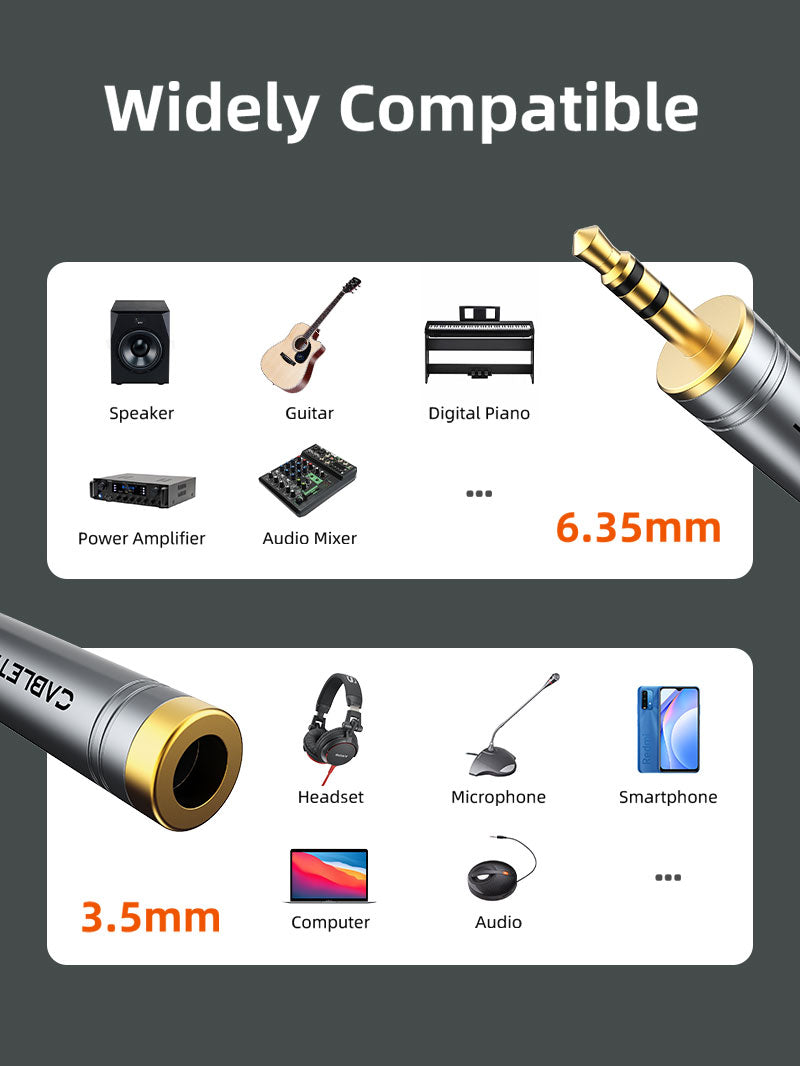
Use compatible 6.35mm headphones or stereo audio leads with a laptop, desktop, portable music player, television or other device that provides a 3.5mm TRS audio socket.

Three-pole TRS stereo connection
The adapter carries compatible left-channel, right-channel and ground connections. It is designed for standard stereo TRS equipment and does not add the fourth contact required for headset microphones.

Compact aluminium housing for everyday use
The aluminium-alloy shell protects the internal contacts while keeping the adapter small enough for an audio bag, laptop sleeve, instrument case or home listening setup.

Useful across headphones, computers and audio equipment
The adapter is suitable for compatible headphones, stereo cables, computers and consumer audio products where the plug and socket formats match.


No signal conversion or amplification
The CPA4G is a passive mechanical and electrical adapter. It does not increase volume, convert digital audio, power headphones or change the connected device’s output capability.

Check connector direction and headset format
The source equipment must have a 3.5mm female TRS socket, and the headphone or cable must have a 6.35mm male TRS plug. This adapter does not support a headset microphone or provide a secure solution for heavy cable strain on a delicate portable-device socket.

Technical specifications
| Connector 1 | 3.5mm male, 3-pole TRS stereo |
|---|---|
| Connector 2 | 6.35mm female, 3-pole TRS stereo |
| Signal type | Passive analogue stereo audio |
| Contacts | Gold-plated |
| Housing | Aluminium alloy |
| Model / SKU | CPA4G / CT-3M6F-AG |
USE — how to connect it
- Reduce the source-device volume before connection.
- Insert the 3.5mm male plug fully into the compatible stereo socket.
- Insert the 6.35mm headphone or audio plug fully into the adapter.
- Start playback and raise volume gradually.
COMPATIBILITY — check before ordering
Compatible with a 3.5mm female TRS stereo source socket and a 6.35mm male TRS stereo plug. It is not a TRRS microphone adapter, digital converter, impedance matcher or headphone amplifier.
USER SCENARIOS — practical applications
- Professional headphones: connect a 6.35mm headphone plug to a 3.5mm output.
- Laptop or desktop: use a compatible quarter-inch stereo cable with a computer.
- Portable audio: adapt selected wired audio equipment for a compact stereo socket.
- Travel kit: carry one small adapter for mixed connector sizes.
FAQ — frequently asked questions
Does it support stereo audio?
Yes, with compatible TRS stereo equipment.
Will a headset microphone work?
No. This is a three-pole stereo adapter.
Does it increase volume?
No. Output level is determined by the source device and connected headphones.
Can it convert digital audio?
No. It carries analogue audio only.
Genuine CABLETIME product supplied with GST invoice, secure India fulfilment, customer support and the applicable product warranty.
Match the audio connections.
Check connector size, contact arrangement and signal direction. Reduce volume before connecting, select the appropriate input or output and raise the listening level gradually.
Will matching plugs guarantee compatibility?
Check the required audio signal, microphone support and input/output role. Physically similar connectors can carry different signals; use the product-specific guidance above.
Which length or version should I select?
Use the product selector to choose the required option. Check that option against any model, connector, length or pack-size distinctions in the specifications before ordering.