HDMI Extender over Cat5e/Cat6, 1080p@60Hz up to 60m, Loop-Out, IR & EDID
The CABLETIME CP40G transmitter-and-receiver kit carries HDMI video and audio at up to 1080p@60Hz across a direct Cat5e/Cat6 cable run. It also provides a local HDMI loop-out, infrared source control and EDID copy support.
Extend Full HD HDMI up to 60 metres through a direct Cat5e or Cat6 cable
Up to 60mLong-distance HDMI extension.
1080p@60HzMaximum listed video mode.
HDMI Loop-OutLocal transmitter-side monitoring.
IR + EDIDRemote source control and display matching.

Correct installation path
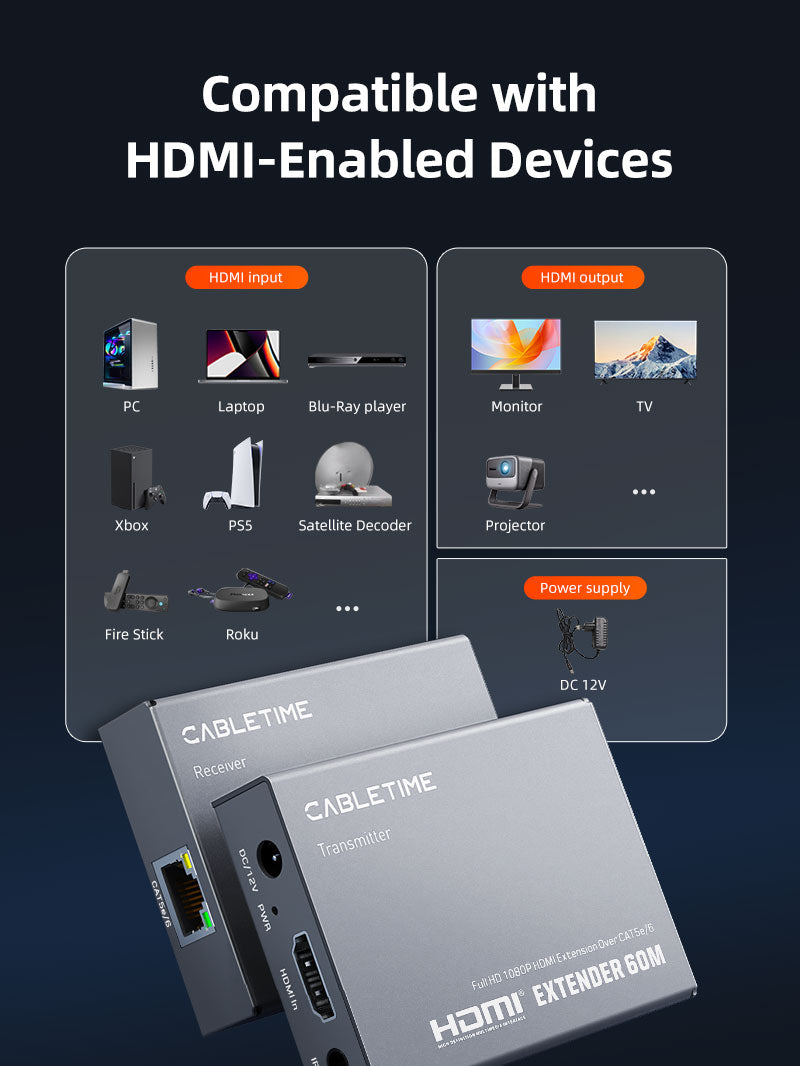
Connect the HDMI source to the transmitter, run one direct Cat5e or Cat6 cable from transmitter to receiver, then connect the receiver to the remote HDMI display. The transmitter-side loop-out can feed a local display, while the IR-TX and IR-RX leads allow compatible remote-control commands to reach the source.
Not an IP network device:use a direct point-to-point Cat5e/Cat6 cable between the two units. Do not route the signal through a normal Ethernet switch, router, Wi-Fi network or internet connection. The included power supply is required.
Technical specifications
| Brand | CABLETIME |
|---|---|
| Model / SKU | CP40G / CT-HEHD-FG60 |
| AV connection | HDMI source and HDMI display through transmitter/receiver |
| Link cable | Direct Cat5e or Cat6 cable |
| Maximum distance | Up to 60m |
| Maximum listed resolution | 1080p@60Hz |
| Local loop-out | HDMI up to 1080p@60Hz |
| Control / compatibility | IR remote extension and EDID copy |
| Housing | Iron / metal shell |
| Included accessories | IR-TX cable, IR-RX cable and power supply |
USE
Suitable for conference rooms, classrooms, retail displays, digital signage, home entertainment, control rooms and CCTV monitoring where an HDMI screen is far from the source.
COMPATIBILITY
Use a correctly terminated, good-quality Cat5e or Cat6 cable. Source output should not exceed 1080p@60Hz. Cable quality, termination and HDMI settings affect maximum distance and stability.
FAQ
Does it support 4K? No. CP40G is specified up to 1080p@60Hz.
Can it pass through a network switch? No. Use a direct Cat cable link.
Is power required? Yes. Connect the included power supply.
What is loop-out? It provides a local HDMI display connection near the transmitter.
Genuine CABLETIME product • GST invoice • India-based assistance • Two-year warranty support • Exact CP40G identification


Check the signal path first.
Identify the source and display or capture device, check connector type and conversion direction, then connect and select the correct input. Choose a video mode supported by the complete setup.
Will I always get the maximum listed resolution?
Actual output depends on the source, receiving device, intermediate equipment, selected mode and the length or version you choose. Check any length-specific limits in the product details.
Which length or version should I select?
Use the product selector to choose the required option. Check that option against any model, connector, length or pack-size distinctions in the specifications before ordering.